Meetups
Find people to play sport with
In the Spareya app you create a meetup. You choose the sport, the place and the time. People near you see it on the map and can join. You can also join a meetup that someone else has created. You can look for one partner, for tennis for example, or a whole group, for football for example.


Meetups start once your district or area unlocks. No district or area has unlocked yet. While you wait, you can log your sport in My sport. Try the demo
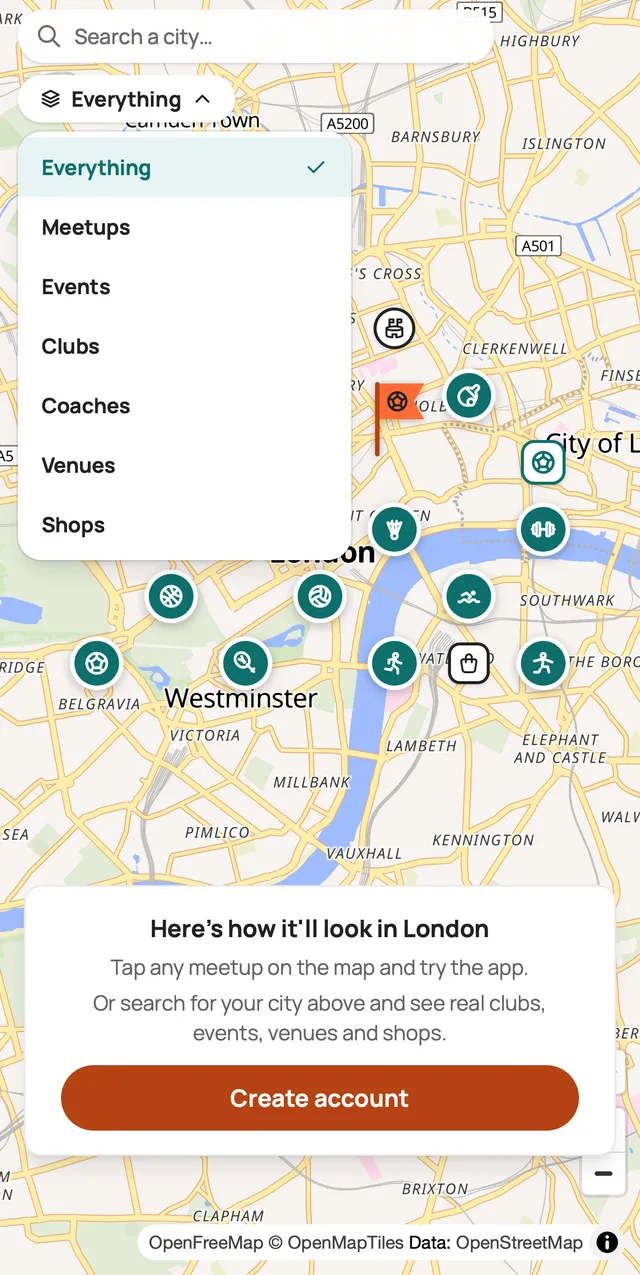
How a meetup works
Here is an example. You want to play tennis and have no one to play with.
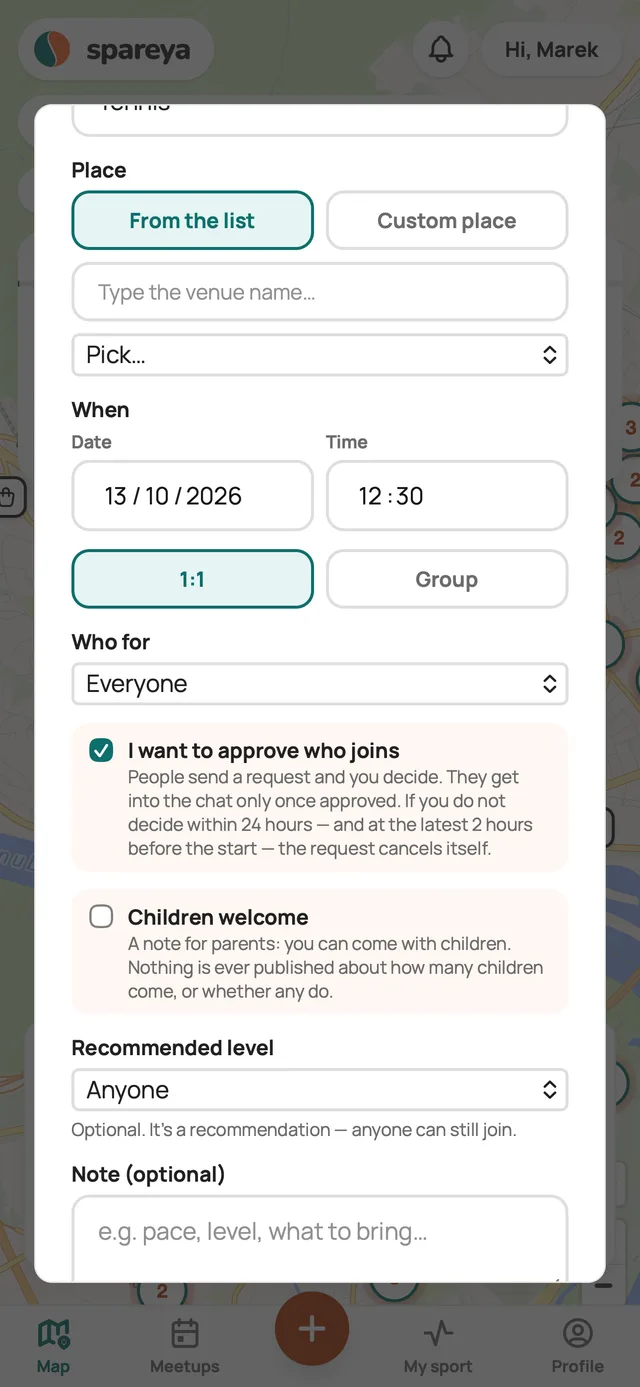
You create a meetup
In the app you choose the sport, the place and the time. You pick the place from the list of venues or mark it directly on the map. You choose whether you are looking for one partner or a group. For a group, you set how many people should come.
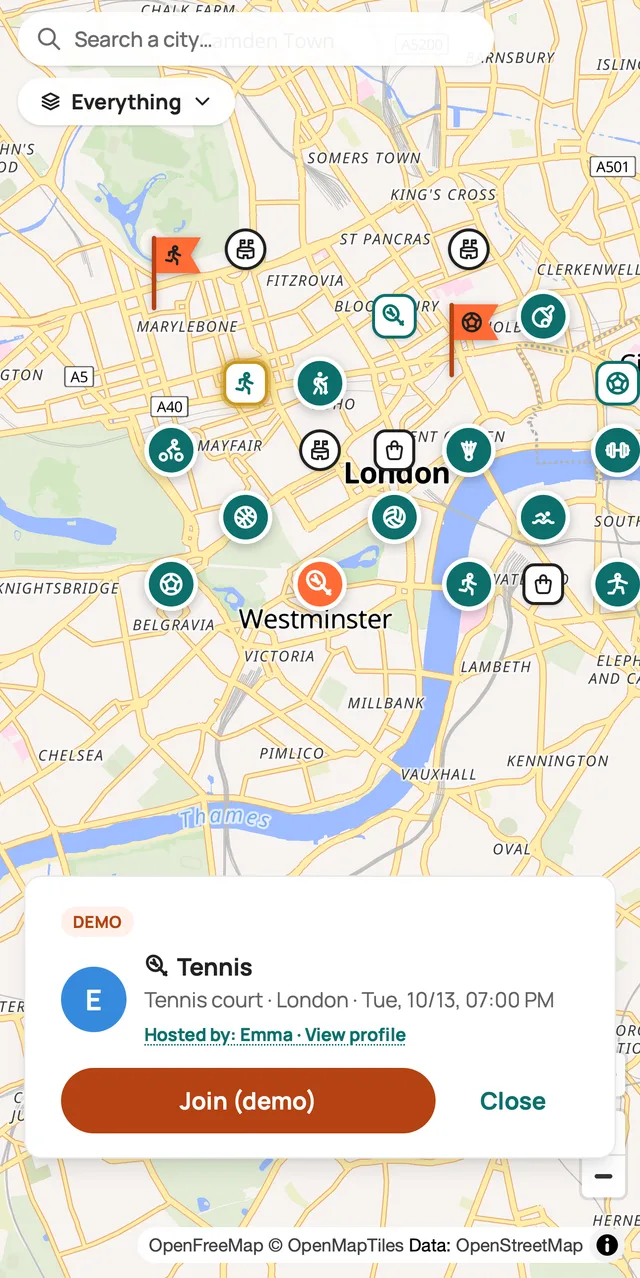
Someone joins
Your meetup appears on the map. People nearby who play tennis see it and join with one tap. The map shows only the place and time of the meetup, never your location. In “Partners for you”, the app suggests people who might suit you. For each person you see the reason, for example the same sport or a similar level.
You agree the details in the chat
Every meetup has its own chat for everyone who has joined. You use it to agree the details, for example where exactly you will meet. If rain is forecast for the time of the meetup, the app shows you “Covered places nearby” in the chat.
Tennis · Tennis court
Thursday 18:30
Where exactly shall we meet?At the entrance, at 18:25 👋☔ Looks like rain
Covered places nearby →
Sort out the details:
Where exactly shall we meet?Should I bring anything?Does that time work for you?You meet
You meet at the court and play. If you want, before the meetup you can use “Share with someone close” to send someone close to you a link showing where and when you will be playing. The link stops working 6 hours after the meetup starts.
Share with someone close
Tennis court · Thursday 18:30
You both confirm that you met
After the meetup, the app asks you “Did you meet?”. The meetup only counts once you have both confirmed it. If something happened at the meetup, you tap “I need help” and the message goes straight to our team. If you are in danger, call 112.
Did you meet?
Yes 👍NoI need helpYou get a stamp in your sport passport
Your sport passport is a list of the sports you have played through Spareya. When you confirm a meetup in a new sport for the first time, you get a stamp for it. Next to each stamp you can see how many meetups you have had in that sport. Others can see your passport on your profile too.
Tennis: your first time on Spareya! 🎉
Sport passport
Tennis
13/10/2026
× 1
A new stamp in your sports passport.
Confirmed meetups earn you levels
Bronze
1 meetup
Silver
10 meetups
Gold
25 meetups
Platinum
50 meetups
Diamond
100 meetups
Champion
200 meetups
When someone cancels a meetup
If a meetup is cancelled, the app offers everyone who had signed up for it up to three other meetups in the same sport within the next seven days. If there is no such meetup, the app saves a “Looking for a partner” request for you. When someone then creates a meetup in the same sport at that time, you will see it.
Tennis · Tennis court
Thursday 18:30
🔔 Spareya
Tennis: your meetup was cancelled — but we found an alternative: Town courts, Friday 17:00. Tap to join.
What you can set for a meetup
When you create a meetup, you can set these options.
1:1 or group
You choose whether you are looking for one partner or more people. For a group, you set the number of people, including yourself.
Who for
A meetup is open to everyone. If you want, you can make it women only or men only. Then only people whose profile shows the matching gender can join it.
I want to approve who joins
If you turn it on, people don't join straight away but send you a request. You decide who to accept. They get into the chat only after you have approved them. A request is cancelled automatically if you don't reply within 24 hours, and no later than 2 hours before the start.
Recommended level
You say which level of player the meetup suits. It is only a recommendation, so anyone can join.
Children welcome
You let parents know they can bring their children to the meetup. A child is always with their parent. Photos of children are not added to Spareya.
Looking for a partner
If you don't want to create a meetup, you create a “Looking for a partner” request. You just enter when you are free, for example tennis on Friday from 17:00. The app shows you meetups taking place at that time.
Safety at meetups
- Before their first meetup, everyone verifies once. They look into the front camera for a moment and a check confirms that they are a real, live person. No ID is needed.
- The map never shows where you are. It only shows the place and time of the meetup.
- You can report or block anyone. Reports are anonymous. The other person does not find out about them.
When meetups will start where you live
Meetups start in a district or area once 1% of its residents join the waitlist (at least 200, no more than 3,000). Join and invite your friends too. The more of you there are, the sooner it happens.